

 47
47
 0
0
Choosing an IoT Wi-Fi module is not simply a choice between an older and a newer wireless standard. The correct module must fit the product’s router environment, data pattern, Bluetooth requirements, processor workload, interfaces, power architecture, antenna design and target market.
Wi-Fi 6 can provide useful functions for newer IoT designs, but Wi-Fi 4 remains practical for many products with modest data requirements and an established network architecture. Engineers and purchasing teams should therefore evaluate the complete system instead of selecting a module from the Wi-Fi generation alone.
This guide explains the main points to compare before requesting samples or approving a wireless module for an OEM product.
The first step is to define where the finished device will operate.
Confirm:
- Whether the target routers support Wi-Fi 4, Wi-Fi 6 or both
- Whether the product will use the 2.4 GHz or 5 GHz band
- The security modes enabled on the intended network
- The expected number of connected devices
- Whether the product must work with managed enterprise or industrial networks
- Whether the router configuration is controlled by the product owner or the end user
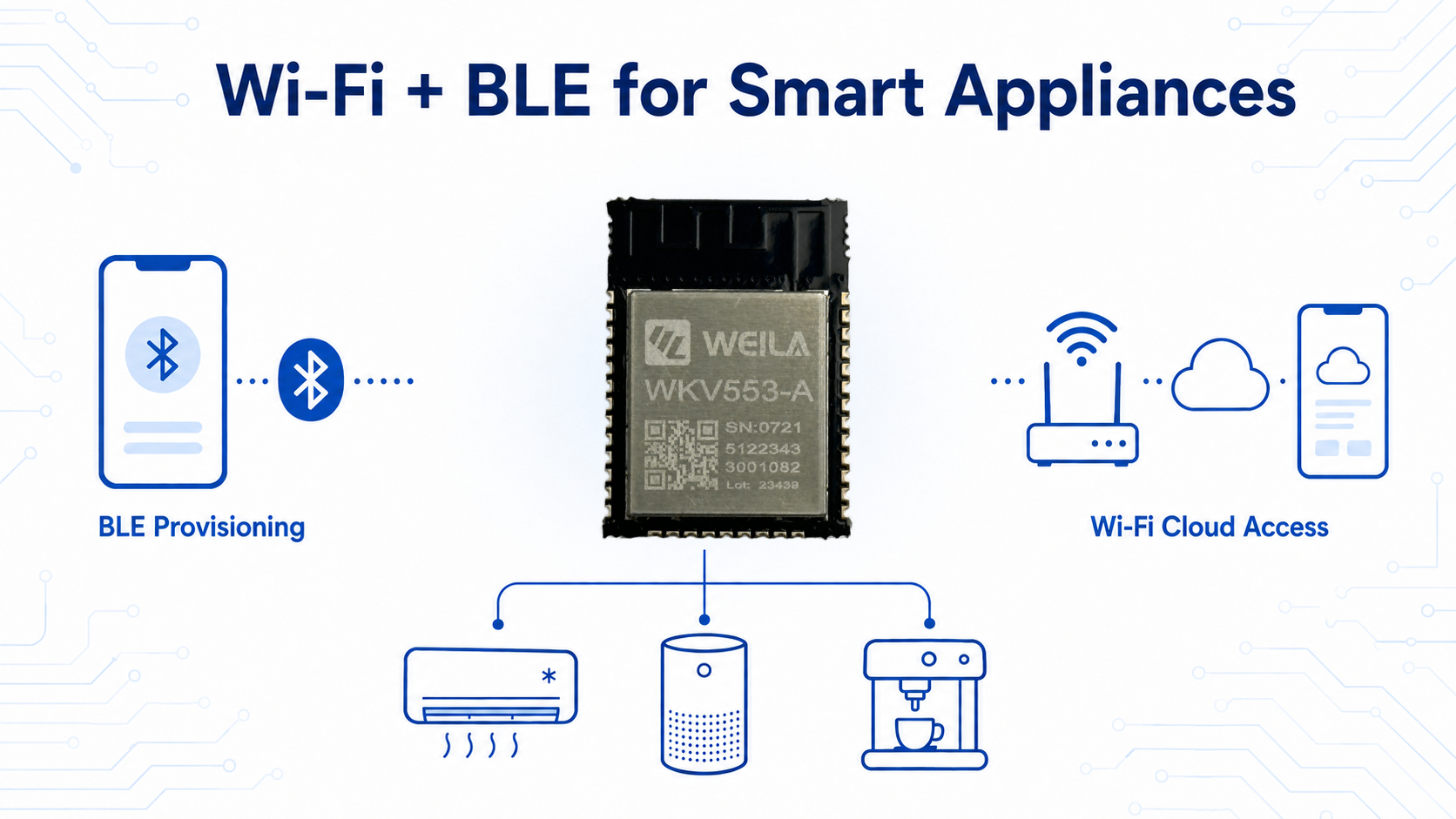
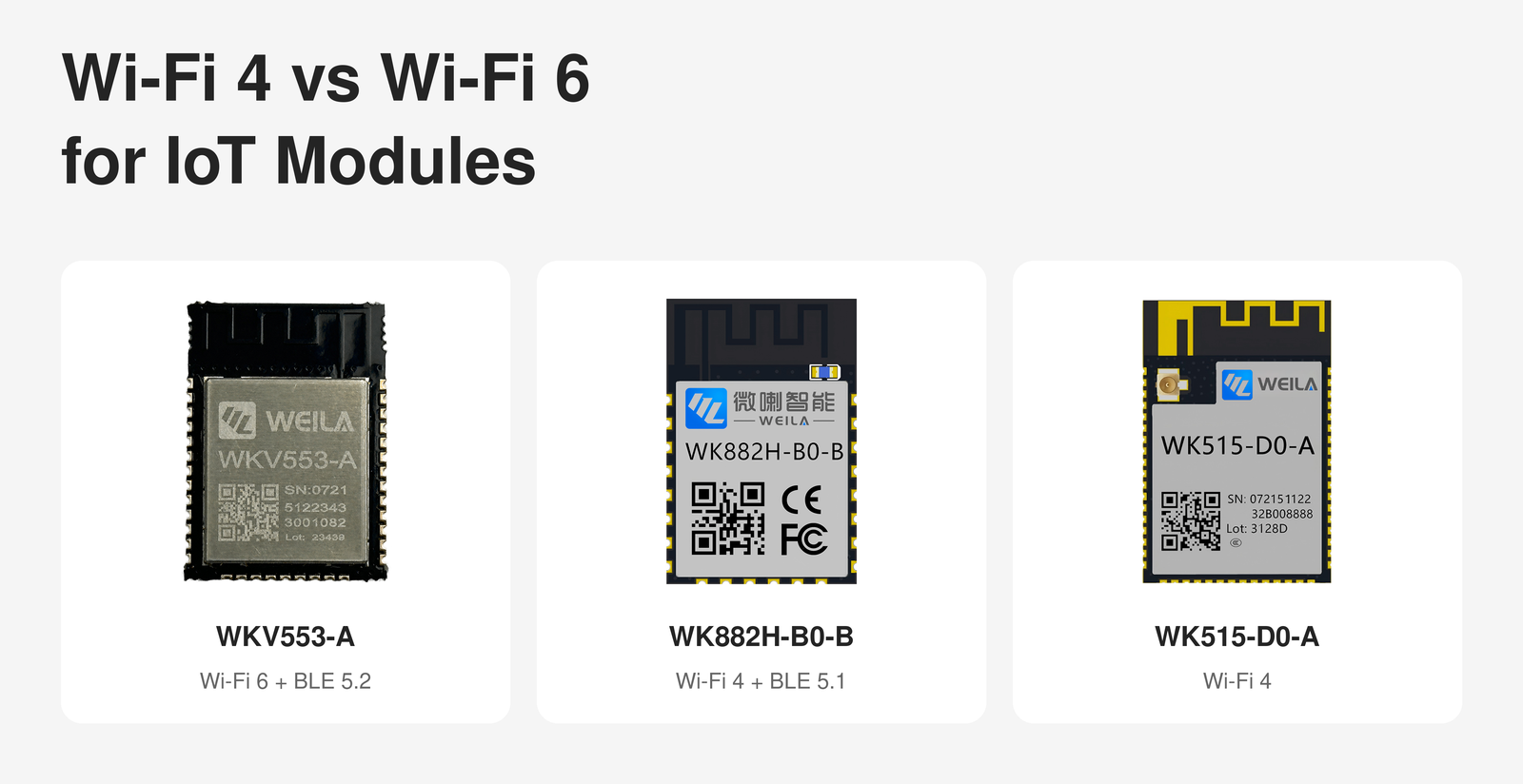
A Wi-Fi 6 label does not automatically mean that a module supports 5 GHz. For example, WEILA WKV553-A supports 2.4 GHz IEEE 802.11 b/g/n/ax. The WK882H and WK515-D0-A also operate at 2.4 GHz but support IEEE 802.11 b/g/n.
This distinction matters for product specifications and customer communication. Frequency band and Wi-Fi generation should always be confirmed separately.
Many IoT products exchange small packets rather than continuous high-volume data. Examples include sensor readings, device status, control commands, alarms and firmware-management messages.
Before comparing modules, document:
- Typical packet size
- Reporting interval
- Maximum acceptable response time
- Peak and average traffic
- Firmware update size
- Expected number of simultaneous devices
- Cloud, local-network or gateway communication requirements
Wi-Fi 4 may be sufficient when a device has moderate traffic, a simple network structure and an existing firmware platform.
Wi-Fi 6 becomes more relevant when the project requires specific 802.11ax functions or is intended for a network containing many connected devices. WKV553-A, for example, publicly lists Target Wake Time, multiple BSSID operation and OFDMA-based random access among its supported Wi-Fi functions.
These functions should still be tested with the intended access point and firmware. A module feature does not by itself guarantee a particular reduction in latency, power consumption or network congestion.
Bluetooth and Wi-Fi may perform different jobs in the same product.
Bluetooth Low Energy can be used for functions such as:
- Initial Wi-Fi provisioning
- Short-range configuration
- Local communication with a mobile application
- Device discovery
- Service or diagnostic communication
Wi-Fi can then provide the IP connection for cloud communication, remote management or local-network services.
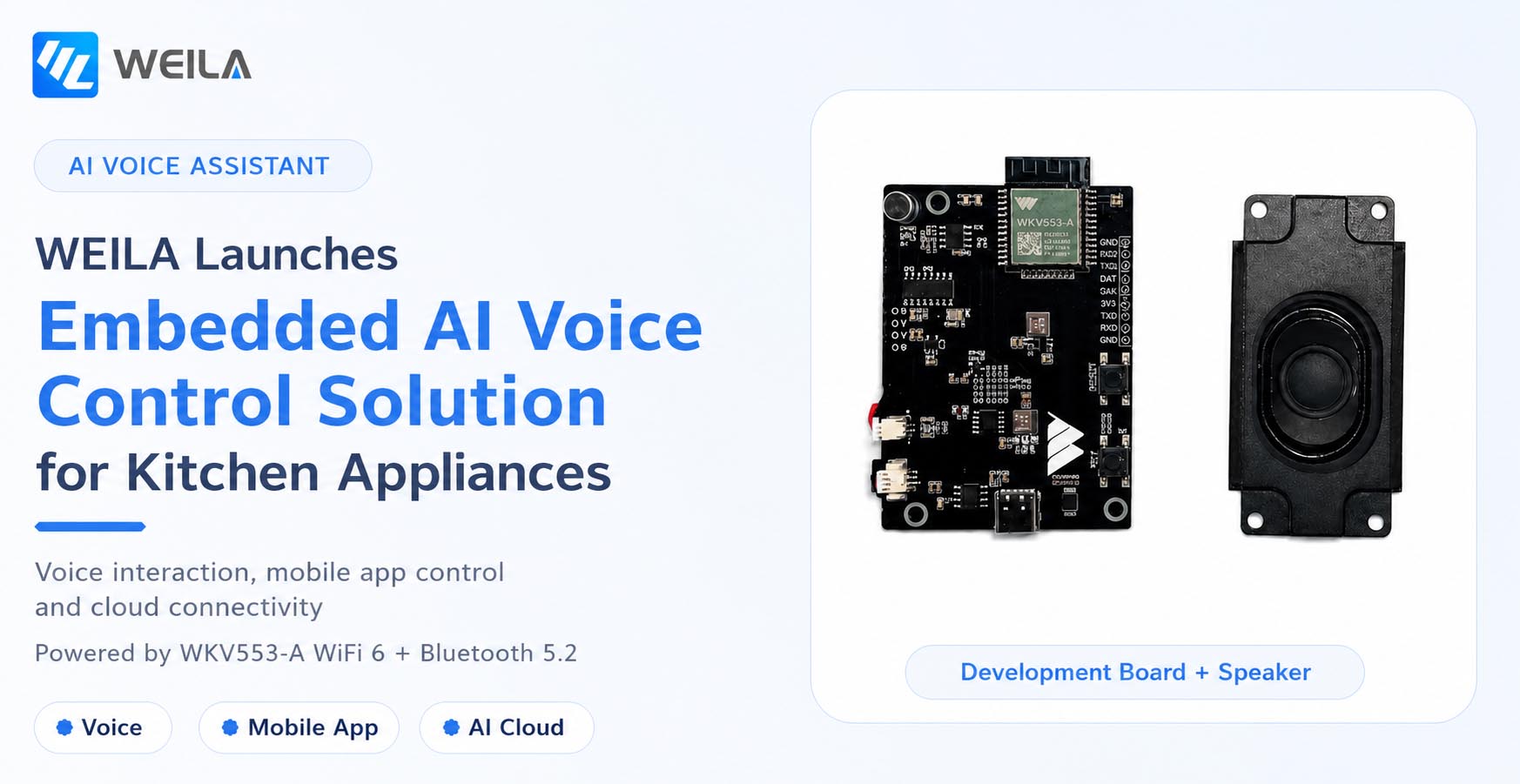
WEILA WKV553-A combines 2.4 GHz Wi-Fi 6 with BLE 5.2. WK882H combines 2.4 GHz Wi-Fi 4 with BLE 5.1. WK515-D0-A is positioned as a 2.4 GHz Wi-Fi 4 module, and Bluetooth is not listed on its public product page.
A project that does not need Bluetooth may benefit from a Wi-Fi-only architecture. A product that requires app-based provisioning or ongoing BLE communication should define the Bluetooth workflow before choosing the module.
The required BLE roles, profiles, data flow and mobile-app responsibilities should all be confirmed. The presence of BLE hardware does not mean that every provisioning or application workflow is already included.
The wireless standard is only one part of an embedded module. Engineers must also determine whether the module will operate as:
- A network coprocessor controlled by a separate host MCU
- A standalone application processor
- A communications module running AT-command firmware
- Part of a customized embedded or PCBA architecture
Important hardware factors include:
- Processor architecture and operating frequency
- Available Flash and SRAM
- UART, SPI, I²C, SDIO, USB and other interfaces
- ADC, PWM and timer requirements
- RTOS and development-tool requirements
- Firmware update architecture
- Debug interface
- Application-code and buffer requirements
WKV553-A uses a 32-bit RISC-V processor operating at up to 160 MHz and publicly lists 320 KB SRAM and 4 MB Flash. WK882H uses an Arm Cortex-M4F core with selectable clock frequencies up to 160 MHz and supports AT-command operation. WK515-D0-A uses an Arm Cortex-M33 core operating at up to 180 MHz and provides an extensive peripheral set.
Available memory must be evaluated after accounting for the wireless stack, security functions, application code, buffers and future updates. Headline memory capacity is not the same as memory available to the customer application.
Do not select a module using one sleep-current figure alone.
The average consumption of a connected product depends on:
- Time spent transmitting and receiving
- Wi-Fi association and reconnection behavior
- Router beacon and power-save configuration
- Signal quality and retransmissions
- BLE advertising and connection intervals
- CPU workload
- Sensor and peripheral activity
- Cloud heartbeat frequency
- Firmware design
- Power-supply efficiency
A useful power estimate separates the operating cycle into active, connected-idle, sleep and reconnection periods. Each period should be measured on representative hardware using the intended router and firmware.
WKV553-A lists Target Wake Time support, while WK882H lists several low-power operating modes. These are design capabilities rather than guaranteed finished-product battery results. Actual consumption must be validated under the product’s own duty cycle and network conditions.
Wireless performance depends on the entire product, not only the module.
Before PCB layout is finalized, confirm:
- Module dimensions and keep-out area
- Onboard or external antenna requirement
- Distance from metal, displays, batteries and high-speed traces
- Ground-plane requirements
- Enclosure material and thickness
- Final installation orientation
- Cable and connector losses
- Target operating temperature
- Required test positions
The same module can behave differently in an open evaluation board and inside the finished enclosure. RF testing should therefore be repeated after the production-intent PCB, antenna and enclosure are available.
If several enclosure variants will use the same electronics, each relevant mechanical configuration should be included in the verification plan.
Security requirements should be specified rather than assumed from the Wi-Fi generation.
The WKV553-A product information lists WPA, WPA2 and WPA3 support. For any candidate module, the engineering team should also confirm the exact firmware configuration required by the project.
Questions may include:
- Which Wi-Fi security modes must be supported?
- How are device credentials provisioned and stored?
- Is signed or encrypted firmware update required?
- Who maintains the application and wireless firmware?
- How are security updates delivered during the product lifecycle?
- Is a cloud platform, local server or mobile application involved?
Procurement teams should request the relevant firmware documentation and version information together with the hardware quotation.
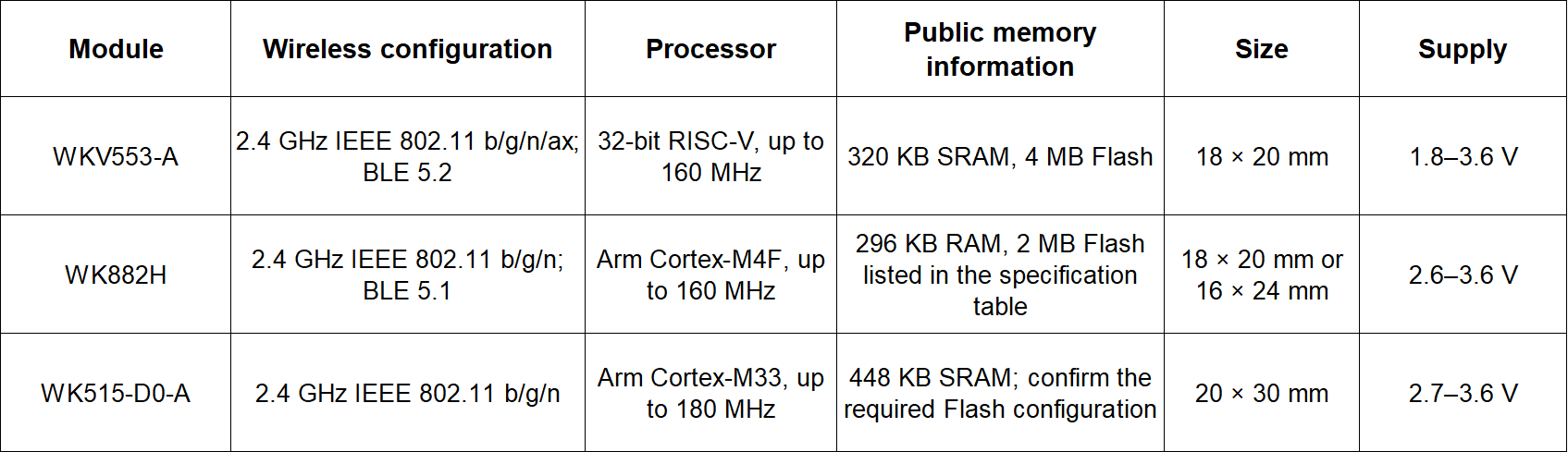
The table is a starting point, not a drop-in substitution guide. Pin assignment, antenna configuration, interfaces, firmware, operating temperature and orderable version must be checked against the current specification before PCB approval.
Module price is important, but it is only one part of the project cost.
A lower unit price may not produce a lower total cost if the project requires additional development, another Bluetooth component, a larger PCB, a new antenna design or major firmware changes.
Compare:
- Module and external component cost
- PCB area
- Host MCU requirements
- Firmware-development workload
- Mobile-app and cloud integration
- RF testing
- Compliance work
- Production programming and testing
- Technical documentation
- Supply continuity
This comparison also helps determine whether a standard module or a customized PCBA is the better commercial approach.
To obtain a useful module recommendation, provide the supplier with:
1. Product type and application
2. Target countries or regions
3. Required Wi-Fi standard and frequency band
4. Intended router or access-point environment
5. BLE provisioning or communication requirements
6. Data volume, reporting interval and latency target
7. Host processor and required interfaces
8. Available PCB area and module height
9. Power supply and power-consumption target
10. Antenna and enclosure conditions
11. Operating-temperature range
12. Firmware and development-support requirements
13. Prototype and estimated production quantities
14. Required compliance or finished-product testing
Providing this information early reduces the risk of selecting a module that meets the wireless standard but does not fit the complete product architecture.
Wi-Fi 6 is not automatically required for every IoT device, and Wi-Fi 4 is not automatically outdated for a new project. The correct decision depends on the network, traffic, BLE workflow, processor resources, power cycle, RF environment, firmware plan and commercial requirements.
WKV553-A provides a 2.4 GHz Wi-Fi 6 and BLE 5.2 platform with integrated RISC-V processing. WK882H offers a 2.4 GHz Wi-Fi 4 and BLE 5.1 architecture with AT-command support, while WK515-D0-A provides a Wi-Fi 4 platform based on an Arm Cortex-M33 processor.
Contact WEILA with your application, router environment, interfaces, antenna conditions and firmware requirements to compare the available module options for your design.
No. Wi-Fi 6 may be appropriate when its supported functions match the target network and product requirements. Wi-Fi 4 can remain suitable for moderate data traffic, established router environments and existing firmware architectures.
No. Wi-Fi generation and frequency band are separate specifications. WKV553-A supports Wi-Fi 6 in the 2.4 GHz band.
No. Bluetooth is useful when the product requires BLE provisioning, short-range configuration or direct BLE communication. A Wi-Fi-only module may be sufficient when those functions are not required.
No. TWT is a supported Wi-Fi function, but actual product consumption also depends on access-point support, firmware, signal conditions, traffic and the complete duty cycle.
Compare firmware readiness, processor and memory resources, interfaces, PCB area, antenna requirements, development effort, testing, compliance requirements, technical support and supply continuity.
No. Platform or module capabilities do not automatically certify the finished device. The final hardware, firmware and device type must follow the applicable testing and certification process.
Company Address
Floor 11, Block A, Building 9, Baoneng Science and Technology Park, Qingxiang Road, Longhua District, Shenzhen
Tel: +86 755-8329018
Business Hours
Monday–Friday
9:00 AM–6:00 PM (GMT+8)



+8613247518427



0755-8329018

13602688458

 Previous
 List
List