

 296
296
 0
0
When selecting a GNSS module, engineers often compare satellite systems, frequency bands, positioning accuracy and Time to First Fix. Position update rate is another important specification, especially for vehicle tracking, navigation equipment and other moving devices.
However, a higher number is not automatically better. The appropriate rate depends on how quickly the product moves, how often the host needs a new position, the available communication bandwidth and the complete system power budget.
This guide explains how to choose a practical GNSS update rate and how to validate it in the finished product.
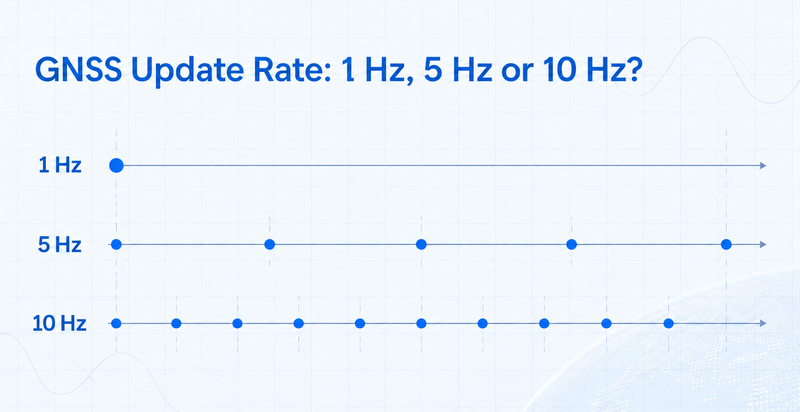
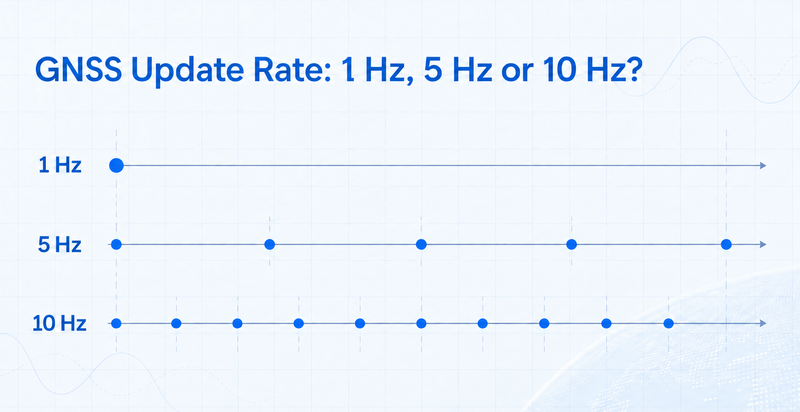
GNSS update rate describes how often the receiver produces a new navigation solution. It is normally expressed in hertz.
1 Hz: one position solution per second
5 Hz: five position solutions per second, or one every 200 milliseconds
10 Hz: ten position solutions per second, or one every 100 milliseconds
Depending on the receiver platform, the configured rate may control the navigation calculation rate, the message output rate or both. Engineers should confirm the exact configuration method in the documentation for the selected module.
A module capable of 10 Hz may still be configured to operate at 1 Hz by default. The maximum supported rate should not be treated as the active factory setting.
Several GNSS specifications describe different parts of system performance.
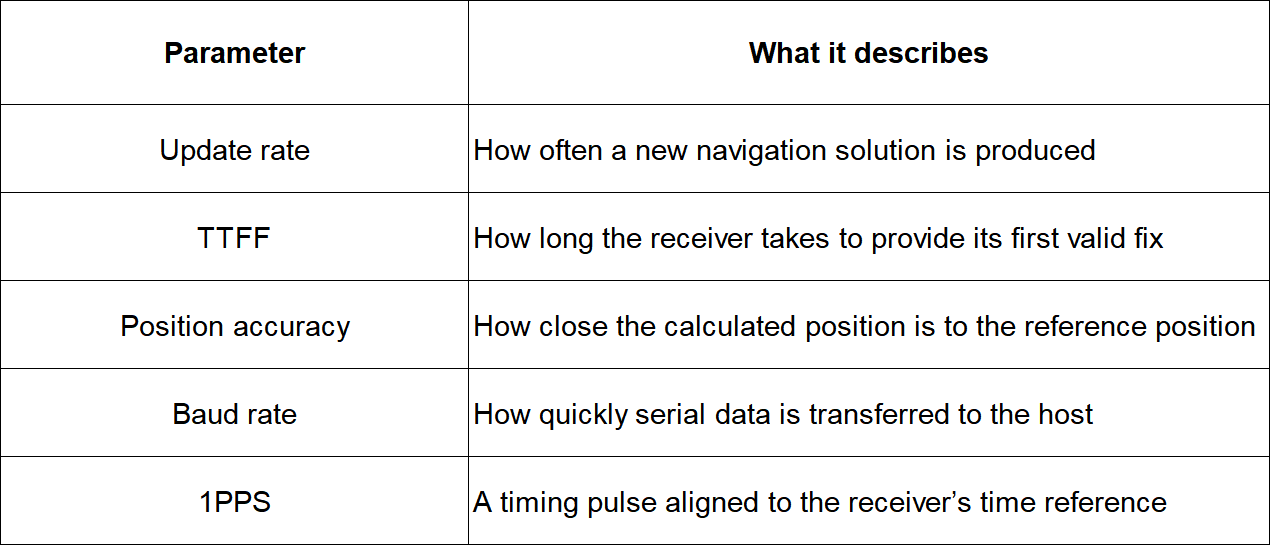
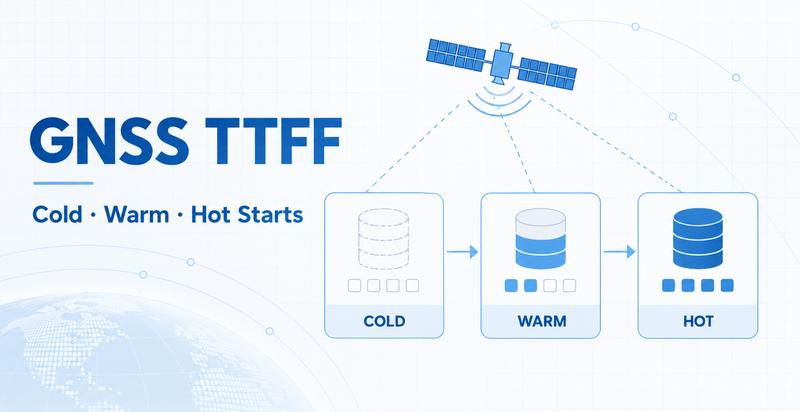
Increasing the update rate does not automatically shorten TTFF or improve the underlying positioning accuracy. A receiver can calculate positions more frequently while still using the same satellite measurements, antenna and signal environment.
Similarly, increasing the UART baud rate does not make the GNSS engine calculate a position more accurately. It only increases the available capacity for transferring data to the host.
For startup considerations, see GNSS TTFF Explained: Cold, Warm and Hot Starts.
A 1 Hz rate is often a practical starting point when the application does not require rapid motion updates.
Possible examples include:
- Asset trackers that report periodically
- Stationary equipment monitoring
- Low-speed outdoor devices
- Time and location logging
- Products that send positions through a low-bandwidth network
- Battery-powered devices with long sleep intervals
If an asset tracker wakes only once every several minutes or hours, increasing the GNSS output to 10 Hz may provide little benefit. Startup time, antenna performance and the time required to upload the location may have a greater effect on the complete user experience.
The system should still be tested during movement if the product may be relocated while operating.
A 5 Hz rate provides a new solution every 200 milliseconds. It may be useful when the host needs smoother motion data but does not require the maximum available rate.
Possible applications include:
- Handheld navigation devices
- Moderate-speed vehicle tracking
- Equipment displaying a live route
- Portable terminals
- Movement analysis with moderate latency requirements
Compared with 1 Hz, a 5 Hz stream can make a displayed track appear smoother and provide more points for host-side processing. It also produces approximately five times as many position epochs if the same message set is transmitted at every update.
The actual benefit should be evaluated against the host processor, storage, backhaul connection and power budget.
A 10 Hz receiver can provide a new solution every 100 milliseconds. This may be relevant to higher-dynamic products or applications that require more frequent motion information.
Examples may include:
- Vehicle navigation and trajectory recording
- High-frequency equipment monitoring
- Drones or other moving platforms
- Applications combining GNSS with inertial sensors
- Systems requiring lower intervals between position reports
A 10 Hz capability does not guarantee an end-to-end latency of 100 milliseconds. Receiver processing, serial transmission, host buffering, filtering, display refresh and network upload can all add delay.
GNSS also should not be assumed to replace a high-speed control sensor. Fast control loops commonly require additional sensors and a properly designed fusion algorithm.
Selecting the maximum available rate without reviewing the complete system can create unnecessary problems.
If the same NMEA sentence set is transmitted at every update, increasing the rate from 1 Hz to 10 Hz can produce roughly ten times as many message groups.
An unsuitable baud rate or oversized message set may cause:
- Incomplete sentences
- Buffer overflow
- Delayed data
- Lost epochs
- Increased host-processor load
The MCU or processor must receive, parse, store and possibly filter each update. A higher rate can increase interrupt activity, memory use and application-software workload.
Recording every position locally or forwarding it through cellular, Wi-Fi or another radio produces more data. The reporting rate sent to a server does not always need to match the GNSS calculation rate.
For example, a device may calculate positions at 5 Hz for local logic but upload only selected points. This behavior depends on the host software and must be designed at the system level.
A higher rate can increase host processing, storage activity and communication traffic. Its effect on the GNSS receiver itself depends on the chipset, firmware and operating mode.
Do not assume a fixed power penalty. Measure the complete device at each required setting.
The communication interface must have enough capacity to carry the configured output.
For a typical UART using 8 data bits, no parity and one stop bit, approximately ten transmitted bits are required for each data byte. A simplified estimate is:
Required bit rate ≈ bytes per update × updates per second × 10
An engineering margin should then be added for message variation, buffering and other traffic.
For example, if the enabled messages produce 600 bytes per position epoch:
- At 1 Hz: approximately 6,000 bits per second before margin
- At 5 Hz: approximately 30,000 bits per second before margin
- At 10 Hz: approximately 60,000 bits per second before margin
In this illustrative case, 57,600 bps would not provide sufficient practical capacity at 10 Hz, while 115,200 bps may be suitable. Actual requirements must be calculated from the selected receiver’s real output rather than this example.
Engineers should confirm:
- Default and supported baud rates
- Required NMEA sentences
- Sentence output frequency
- Navigation update frequency
- Whether proprietary binary messages are enabled
- Whether correction data shares the same port
- Host UART buffer size
- Whether the configuration is retained after restart
Output only the messages required by the application. Disabling unused sentences can reduce serial traffic and simplify host processing.
For interface selection, see UART vs. RS-232 vs. USB for GNSS Receivers.
WEILA publishes different update-rate capabilities for different positioning modules.
The WKG0184T03Y01 BeiDou positioning module lists a default rate of 1 Hz and support for up to 5 Hz.
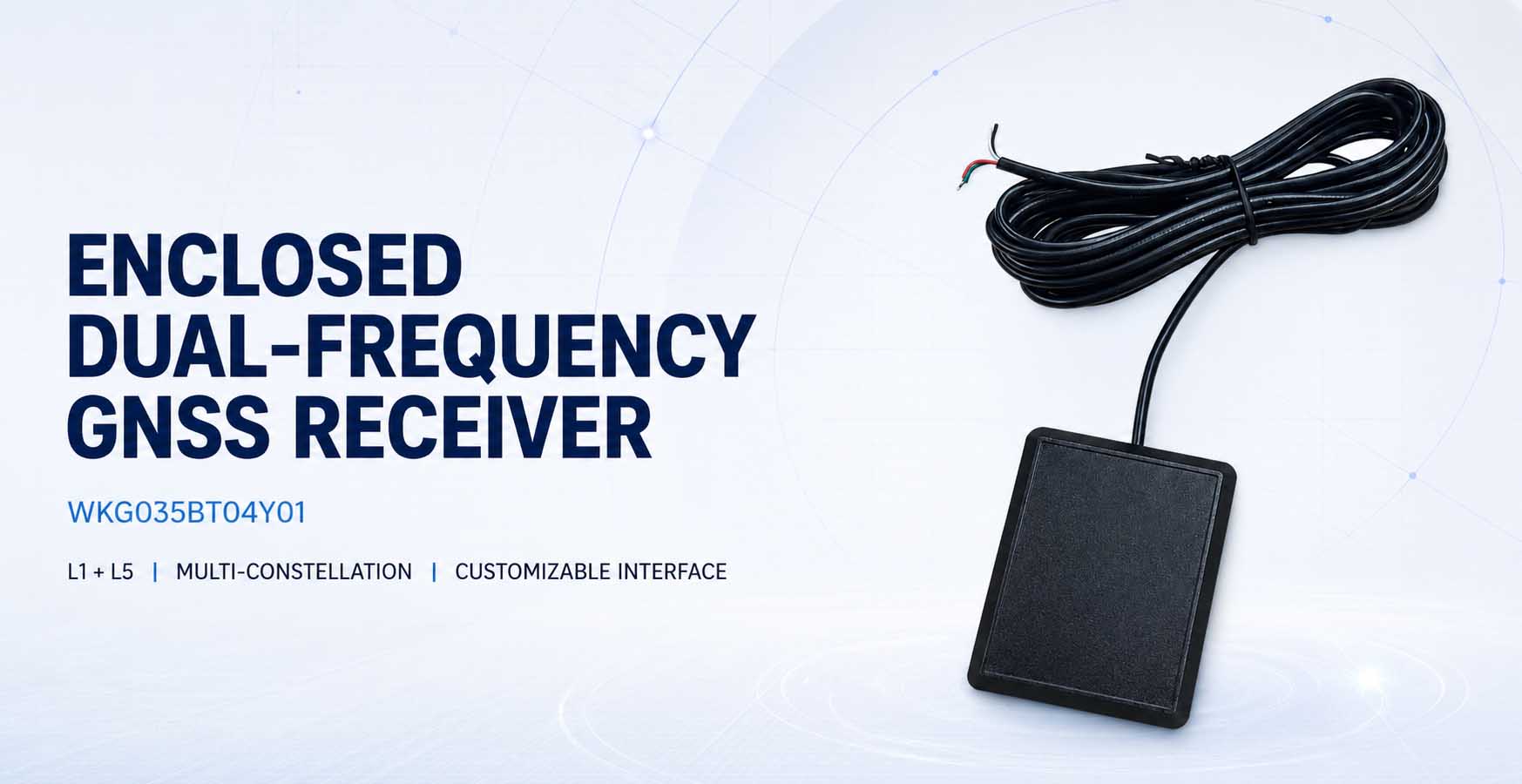
The WKG035BT04Y01 L1/L5 multi-GNSS module lists a default rate of 1 Hz and support for up to 10 Hz. Its product page also lists NMEA 0183 output and a default baud rate of 115,200 bps.
These examples show why buyers should check the specification for the exact model. Update rate, supported commands, interface type and message configuration should not be assumed to be identical across a product family.
Explore the WEILA GNSS and BeiDou module range for available integration formats.
Use the following process before approving a module.
Identify the maximum speed, acceleration and direction-change rate of the finished product.
Determine how old a position may be when the host receives and uses it. Include receiver, interface, software and network delays.
The local processor may require frequent updates even when the cloud platform needs only occasional reports.
Measure the actual bytes transmitted per epoch and verify that the selected baud rate has sufficient margin.
Confirm UART buffers, processor load, storage capacity and parsing performance at the maximum required rate.
Test the complete device at 1 Hz, 5 Hz or 10 Hz as applicable. Include GNSS, host processing and wireless-data transmission.
Test inside the final enclosure, with the intended antenna and while other radios and electronics are operating.
To help WEILA evaluate a suitable module, provide:
- Application and target market
- Stationary, handheld, vehicle or other operating mode
- Maximum expected speed and dynamics
- Required satellite systems and frequency bands
- Required position update rate
- Maximum acceptable data latency
- NMEA or other required protocol
- Host interface and logic voltage
- Required baud rate
- Required message set
- Antenna type and installation position
- Power and sleep-cycle requirements
- Operating environment
- Prototype and estimated production quantities
A complete project description makes it easier to select a module and prepare a meaningful validation plan.
GNSS update rate should be selected from the needs of the complete product rather than from the highest number in a specification table.
One hertz may be sufficient for periodic asset tracking or stationary equipment. Five hertz can provide smoother data for moderate movement, while 10 Hz may suit applications that require more frequent motion updates.
The final decision should account for data latency, serial bandwidth, NMEA configuration, host processing, storage, network traffic and power consumption.
Contact WEILA with your application, motion profile, interface, antenna and update-rate requirements to discuss an appropriate GNSS module or customized IoT/PCBA solution.
Not necessarily. Update rate describes how often a new solution is produced. Accuracy also depends on receiver design, supported frequencies, antenna performance, satellite visibility, interference and correction methods.
No. Baud rate controls serial-data transfer capacity. The receiver’s navigation and output rates must be supported and configured separately.
It may be sufficient for periodic or low-speed tracking, especially when the device uploads positions only occasionally. The correct choice depends on the movement profile and maximum acceptable data age.
The enabled message set may produce more data than the interface, host buffer or parser can handle. Review the baud rate, message volume and host processing capacity.
No. A 1PPS signal is primarily used for timing. It should not be interpreted as a once-per-second position output.
No. Maximum rate and configuration options vary by model and firmware. Confirm the current documentation for the exact module.
Company Address
Floor 11, Block A, Building 9, Baoneng Science and Technology Park, Qingxiang Road, Longhua District, Shenzhen
Tel: +86 755-8329018
Business Hours
Monday–Friday
9:00 AM–6:00 PM (GMT+8)



+8613247518427



0755-8329018

13602688458

 Previous
 List
List